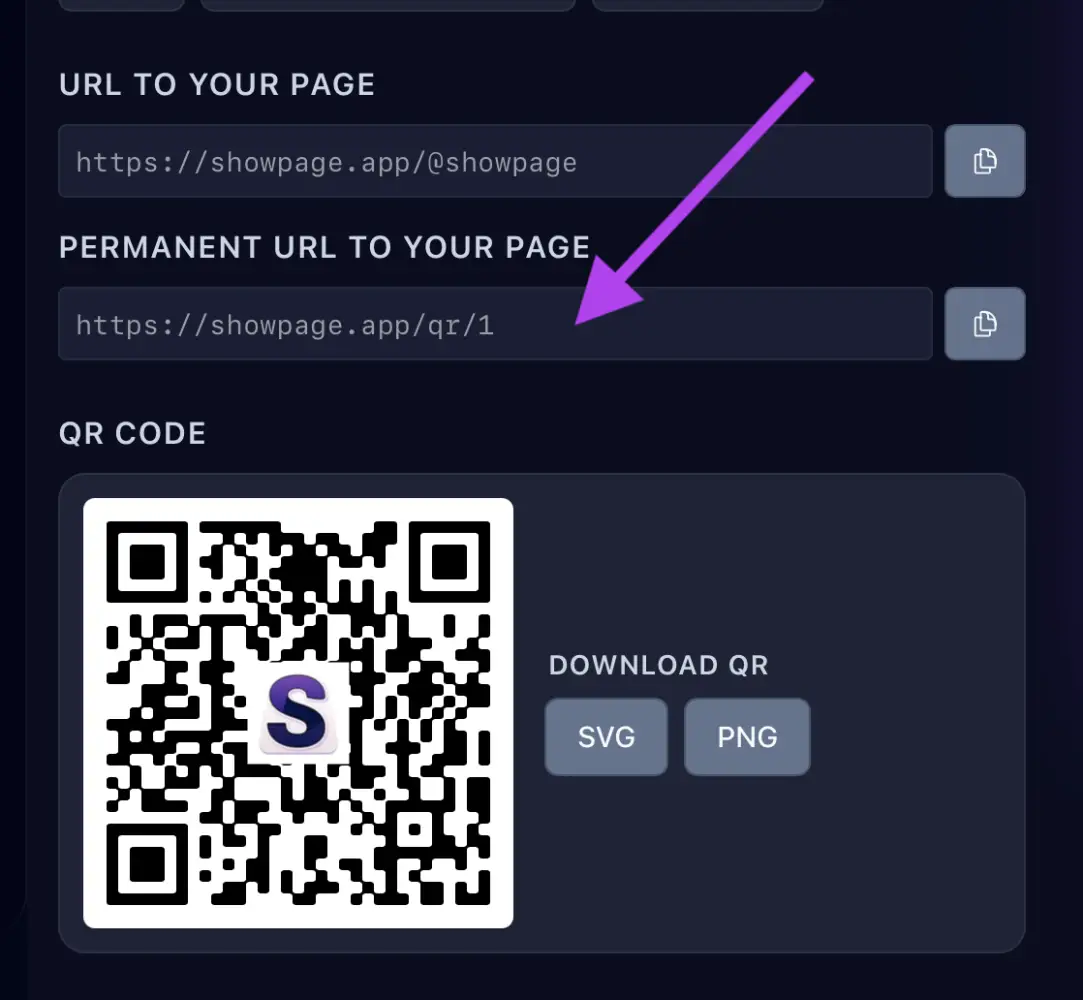
1. Copy your link
In your ShowPage account, open the QR / Links page and copy your link. Use the permanent link: it keeps working if you rename your page.
2. Write it to an NFC tag
- Get blank NFC tags (NTAG213 or NTAG215 work well) and install a free NFC writer app on your phone, such as NFC Tools.
- In the app choose Write → Add a record → URL/URI, paste your link and tap Write.
- Hold the tag against the back of your phone until it confirms.
3. Test it
Tap the tag with another phone. Your page should open.
Tip
Put a short call to action next to the tag, such as "Tap here", and add your QR code as a backup for phones without NFC.